A clearer working day
Bring upcoming work, priority actions and relevant records into view. Spend less time finding information and more time acting on it.
YOUR DASHBOARDS · Ask Dougie
Your website welcomes people in. Your dashboard is the private working space behind it: a clearer view of what needs doing, who is responsible and what happens next.
These images explain possible layouts and workflows. Your package, enabled modules and permissions determine your actual dashboard. A panel shown here does not confirm a live connection, payment service or automated message.
Bring upcoming work, priority actions and relevant records into view. Spend less time finding information and more time acting on it.
Give a task an owner, a due date and a status. Shared updates and handover notes help the next person understand what has happened.
Give people the information needed for their duties. Keep sensitive finance, personnel and private records restricted to authorised roles.
EIGHT WAYS TO SEE YOUR WORK
Select an image to open it at full size.
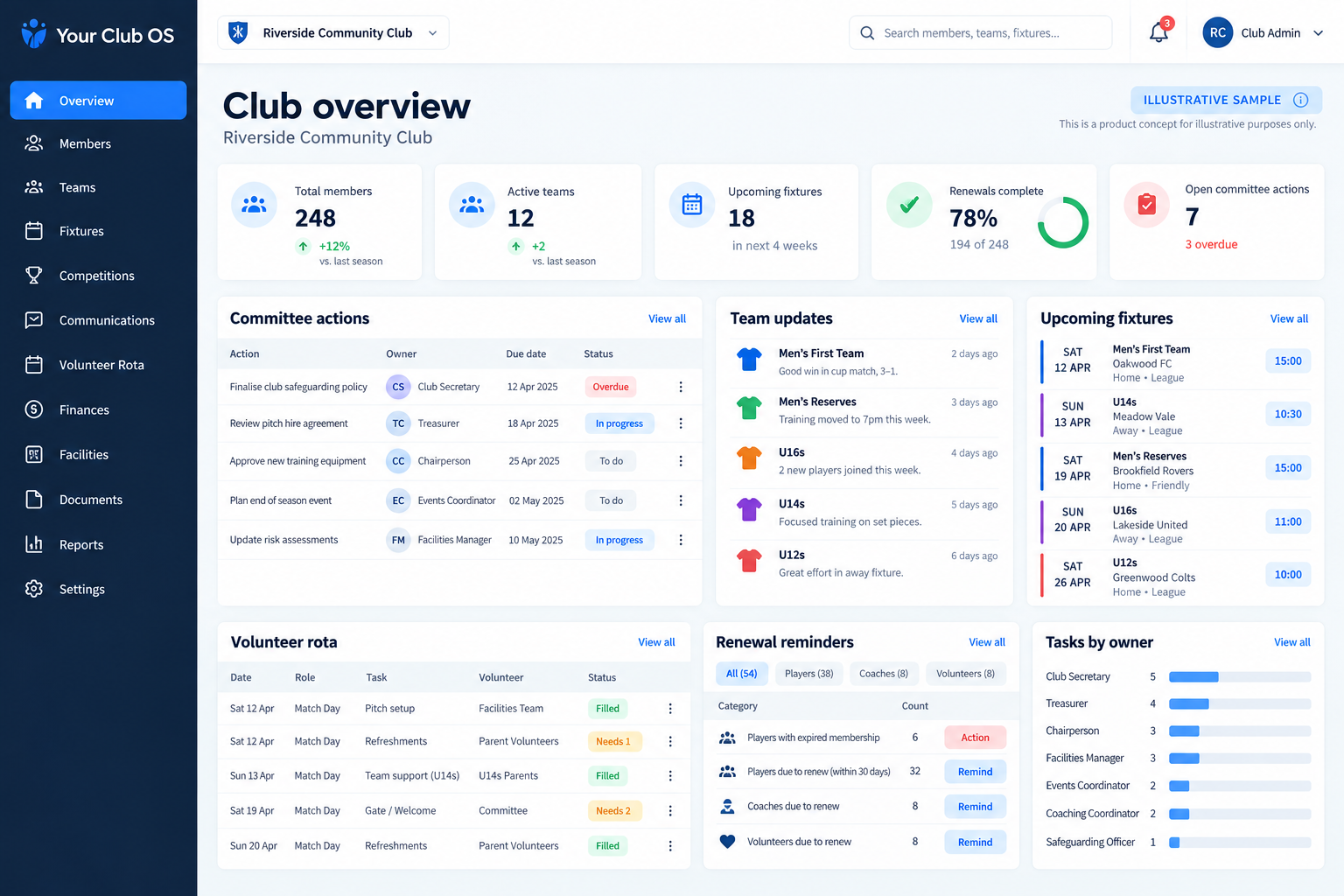
See the next club actions without piecing together several conversations.
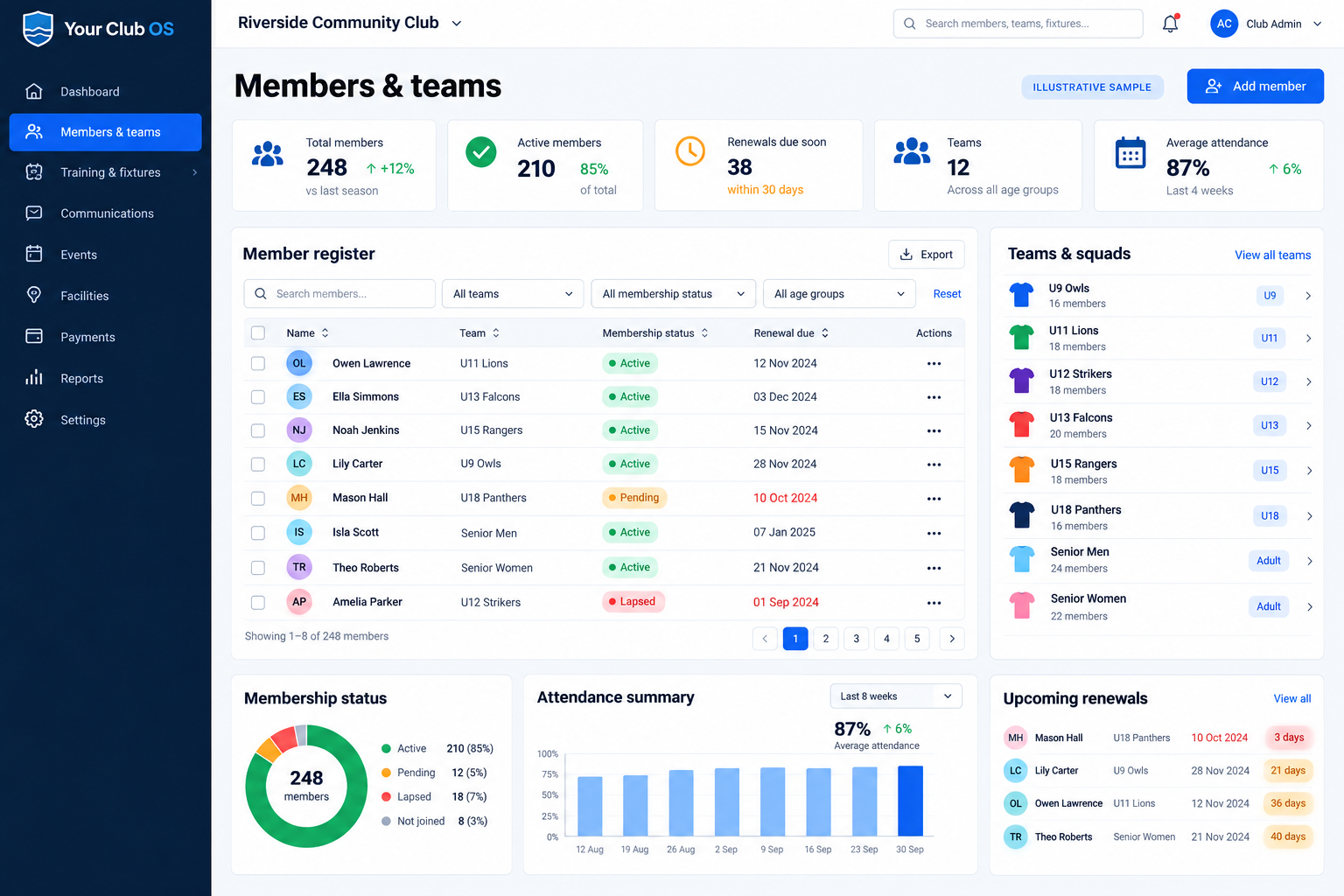
Keep membership administration and team organisation easy to scan.
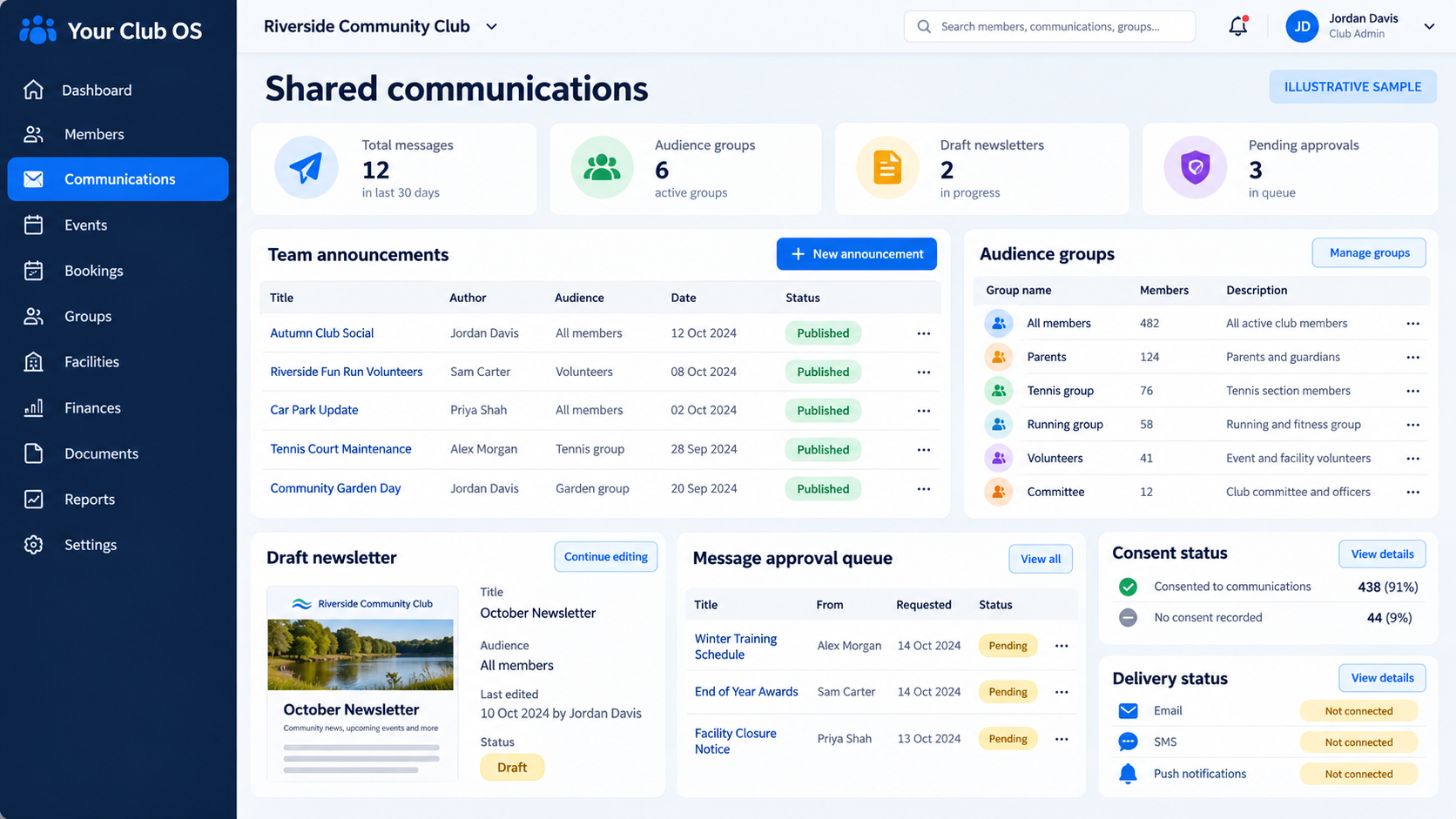
Prepare relevant updates and make the difference between a draft and delivery clear.
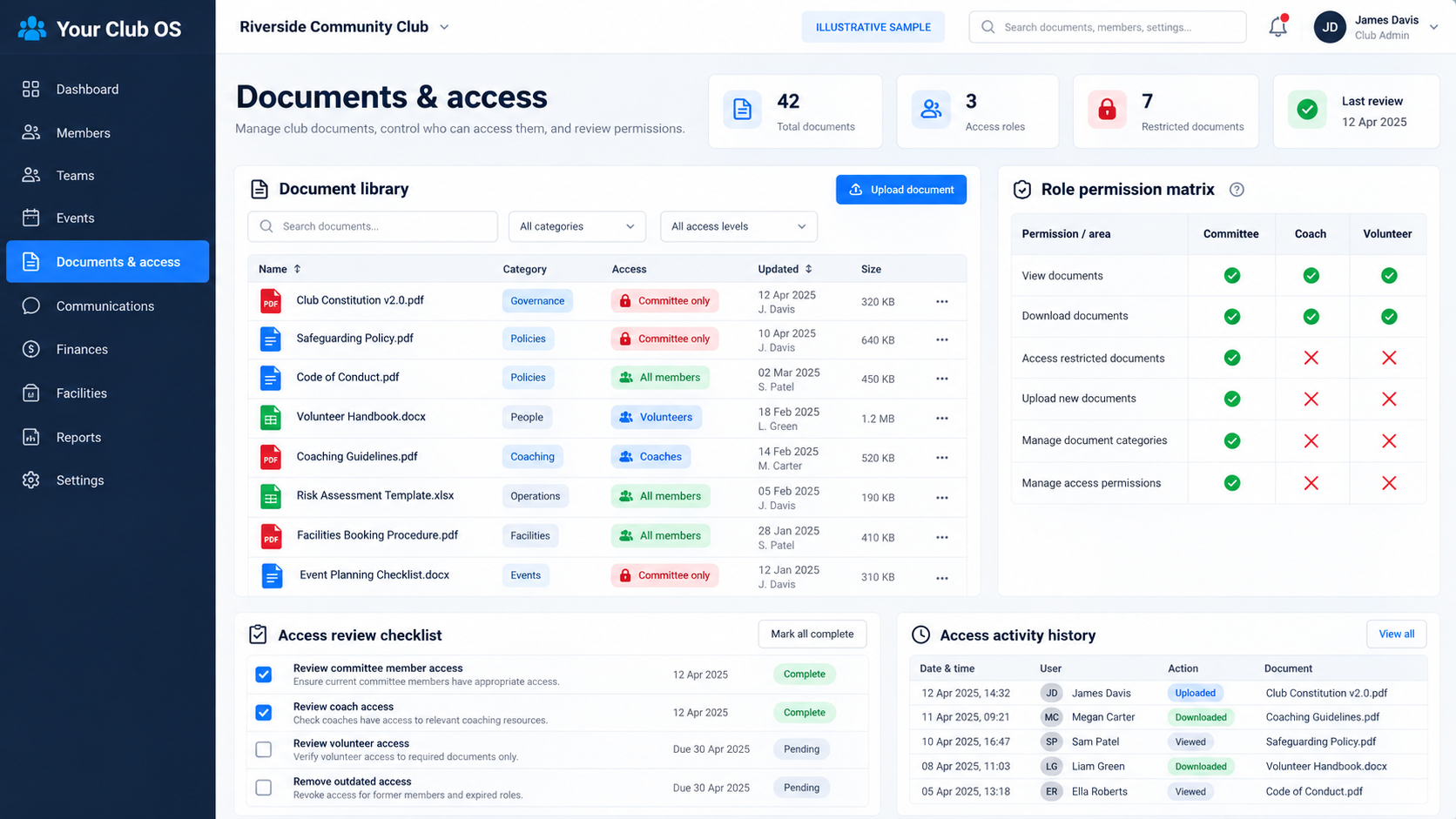
Keep useful club documents organised with appropriate boundaries.
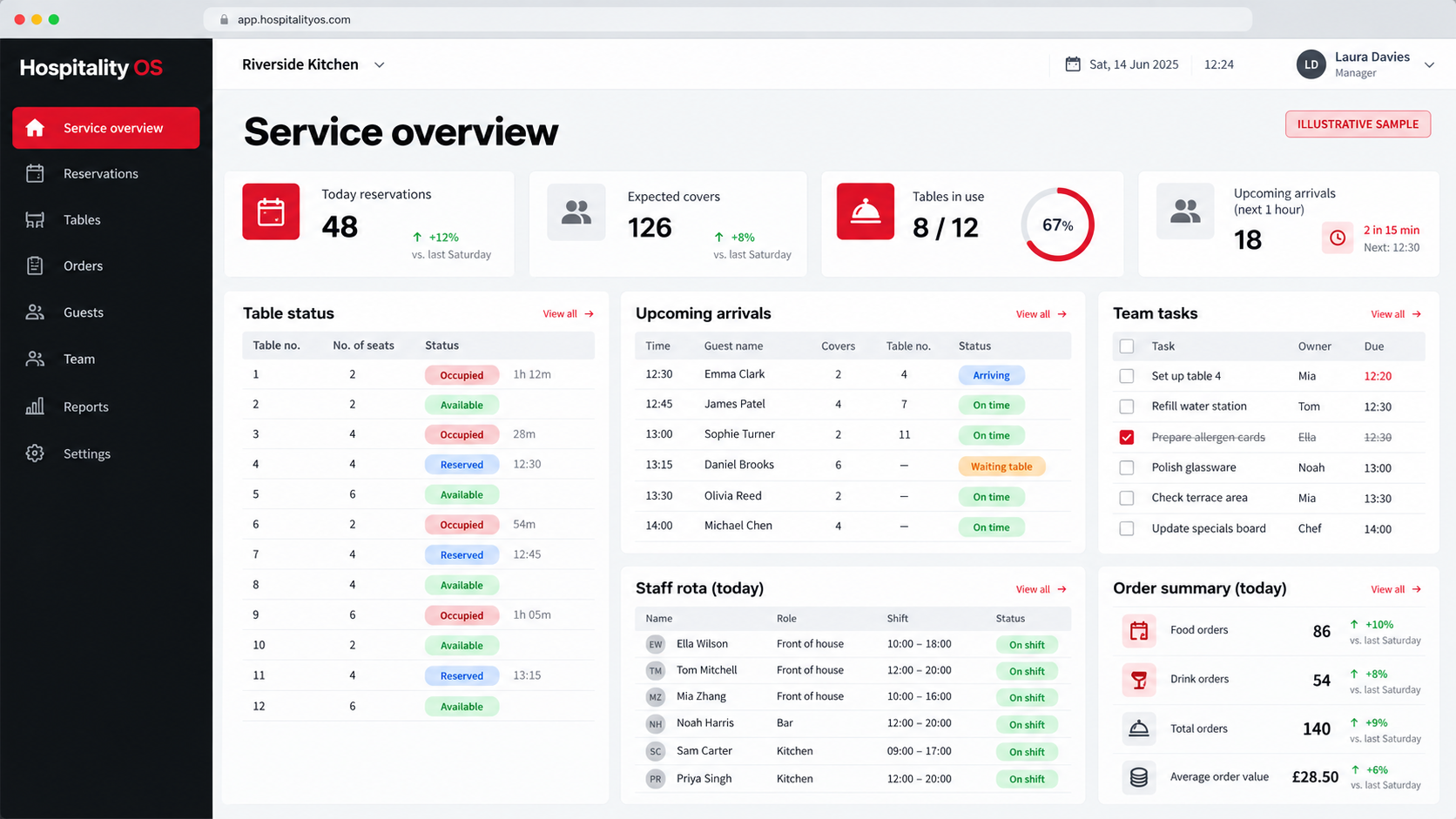
Give the team a clear starting point before the service begins.
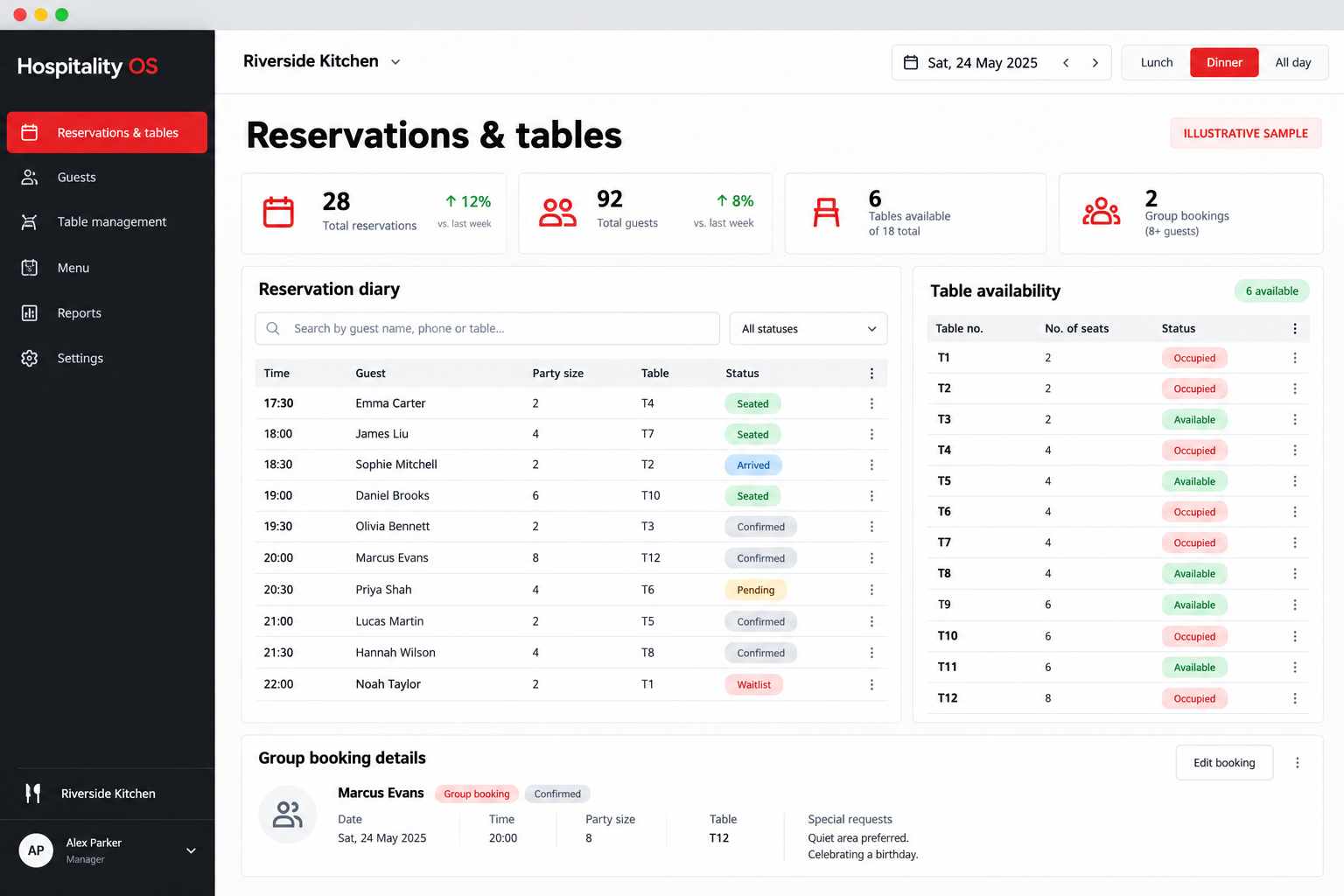
Scan the diary and table availability without a graphical floor plan.
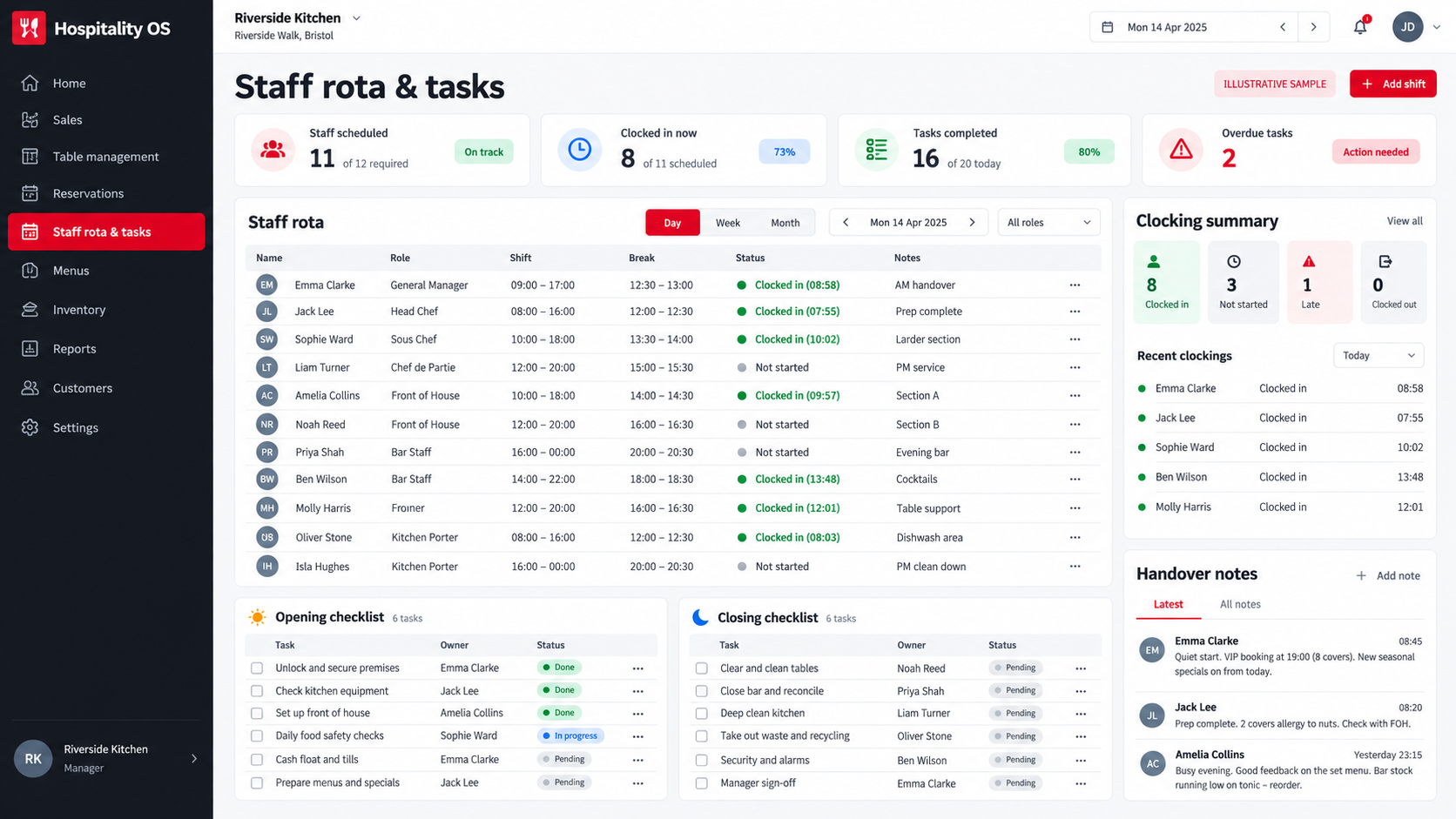
Help staff see their shift, their jobs and the next handover.
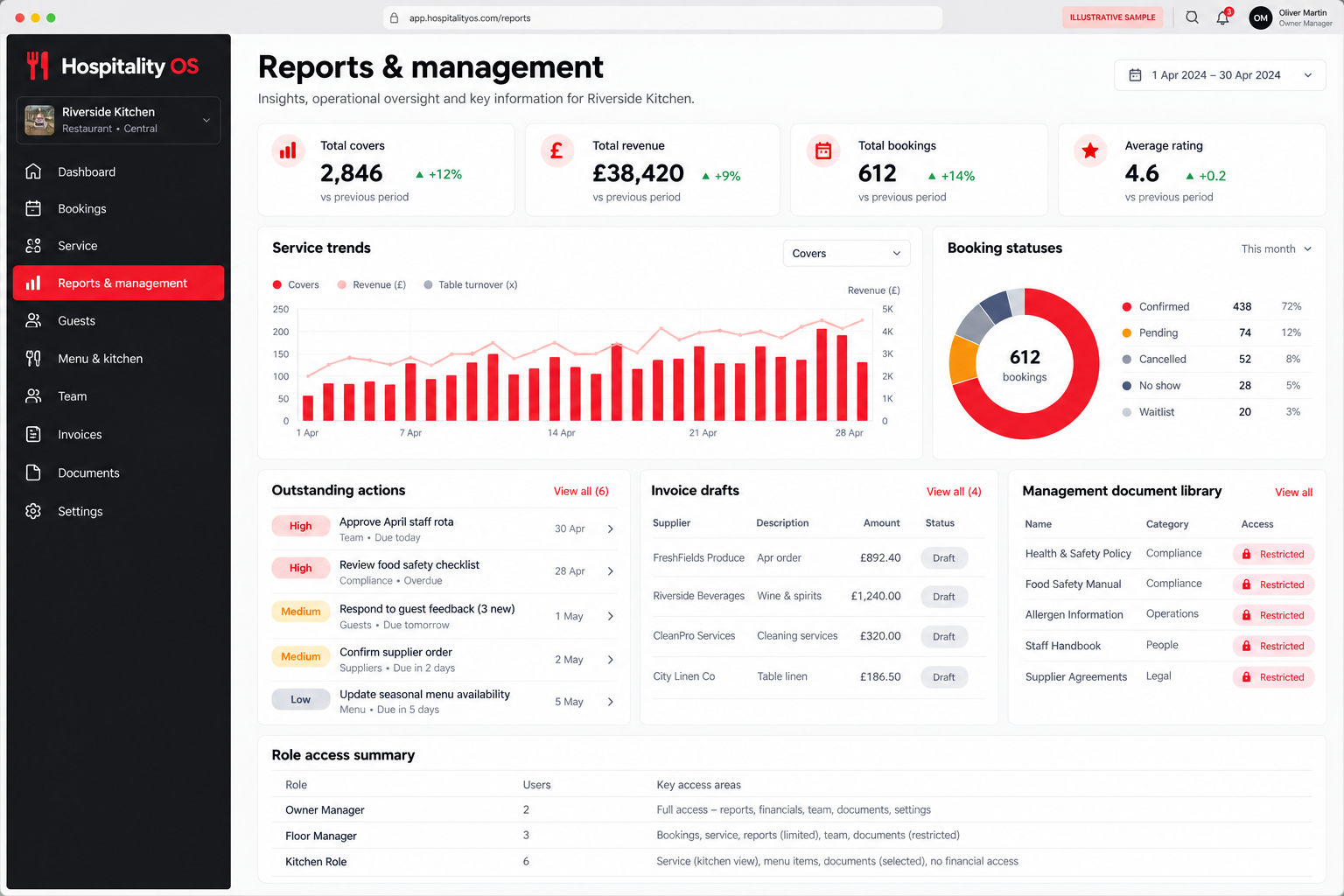
Give managers a focused view of the records and decisions they oversee.
PRIVATE BY ROLE
Use individual sign-ins rather than a shared password. Agree which modules each person needs, review access when duties change and remove access when someone leaves. The examples below describe sensible role boundaries; the configured module permissions must be checked before rollout.
| Role example | Relevant working view | Access boundary |
|---|---|---|
| Owner / administrator | Configure the workspace and review module access. | Access is scoped to the business and the relevant module. |
| Manager / team lead | Coordinate the work they are responsible for. | Management access does not need to mean access to every private record. |
| Team member | Relevant bookings, assigned tasks and permitted shared records. | Use individual accounts with the access required for the job. |
| Customer / member | Their permitted public or portal journey. | A public website never grants access to the private office. |
Hiding a menu item is not an access control. Private records must also be protected when they are requested or changed. Your final access setup is reviewed against the actual modules and people using the system.
Yes, the working view can be shaped around a role and the modules included in the package. The aim is relevant information with clear access boundaries; the final layout and permissions are agreed during setup.
No. These are illustrative designs covering existing pilots and the wider product direction. Review the module guide for current availability. Payments, automated delivery, combined reports and third-party integrations require their own verification.
It should not. Shared working means authorised people can collaborate on relevant records. Sensitive documents, financial information and personnel records need specific permissions and regular access reviews.
Yes. The public website can keep your identity while the private working tools are selected around your organisation. Supported links or integrations can be reviewed if you already have a website.